
App for Android
Slid
Your timeline, day by day
Slid keeps the story of your places: where you go, the ways in between and the photos you take there. The timeline is stored on your phone.
Free · Android 8.0 or newer with Google Play services
The app finds new versions and installs them when you tap Update.
Scan to open this page on your phone
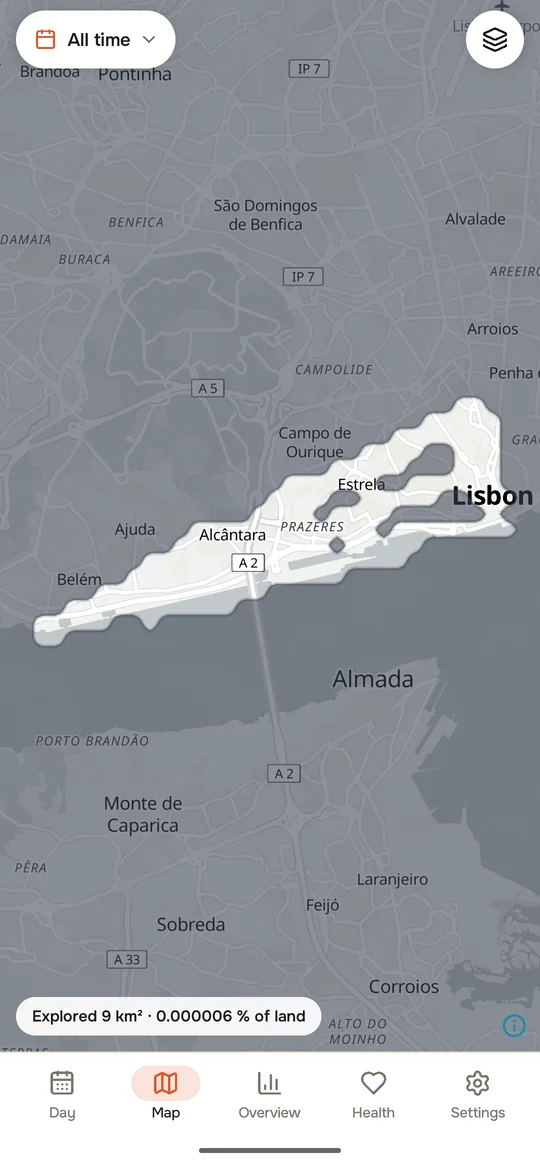
© OpenStreetMap · OpenFreeMap · OpenMapTiles
How it works
Three steps from an empty map to your whole story.
- 1
Record new days
The phone notes where you are: often while you move, rarely while you stay.
- 2
Bring in the past from Google
Your Google Maps Timeline, all the years it kept.
- 3
Photos on the map
Gallery photos take their places. Photos without GPS get the place where you were then.
What it does
Every day, as it was
Where you went and how: on foot, by bike, by car, train or plane. Precise on the move, thrifty while you stay.
Years from Google
Brings in your Google Maps Timeline: the export file from an Android phone or an iPhone, or an older Google Takeout archive.
Photos on the map
Gallery photos take their places. Photos from chats, downloads and screenshots are not given a guessed place.
The world you have seen
A globe with your countries, a heat map and a fog of the world that clears where you go.
Countries and cities
How many, when first, how long, and the best moments of each year.
Your watch too
Steps, heart rate, sleep and workouts that your watch app writes to Health Connect, shown next to the day.
Missed journeys
Notices when a trip is missing between two places and lets you fill it in, or picks the likeliest way for you.
Widgets
Now, today, the week and the world explored, right on the home screen.
Phone and tablet
A backup in your Google Drive to restore on a new phone, and a spare tablet that shows a copy of the phone’s timeline.
And a few things you may not expect
Steps without a watch
The phone counts its own steps and works out a daily goal for you. You can set your own.
iPhone and Google Photos
Import a Timeline export from an iPhone, and the places Google Photos knows for photos on your phone.
Bus lines and usual routes
Buses get their line number when the map knows it. Routes you repeat are recognised on the phone, without the internet.
Tidy up your story
Change how a trip was made, rename places and merge two places into one.
Export your timeline
A day, a date range or all time, to a GPX, KML or CSV file. The file is made on your phone.
Three levels of detail
Maximum, detailed or saving: you choose how often the phone records while you move.
Older versions in Drive
Google Drive keeps earlier versions of your copy for a while, and you can restore one.
27 languages · Light and dark theme · Weekly reports · Backups to a file
Questions
How do I install it?
Slid is not on Google Play. Download the APK from this page and open it. Android asks once to allow installs from the app you opened it with.
How do updates work?
When you open Slid, it checks this site for a new version, at most every 30 minutes, and never in the background. If there is one, you tap Update and Android installs it over the old version. Your data stays. You can turn the check off in Settings.
What goes over the internet?
Map tiles are always loaded from OpenFreeMap, and from Esri for the satellite map. Address lookup and transport lookup stay off until you agree: they send place coordinates to Android’s address service (usually Google), Nominatim and Overpass. You can change both in Settings. The privacy policy names every service.
What happens to my data on a new phone?
Connect Google Drive on the old phone to keep a copy, or save a backup file. On the new phone, restore it from the first screen. Neither is encrypted by the app, and Google stores the Drive copy. The photos themselves are not copied, only their dates and places.
Does it work on any Android phone?
Recording needs Google Play services (for location and activity), so it cannot record without them. Health Connect is needed only for watch data.
How much battery does it use?
It records often while you move and rarely while you stay in one place. Its battery use has not been measured. If it matters to you, choose the saving level in the recording settings.
What’s new: 0.9.21
Recording is now always visible: the notification stays on screen and comes back if swiped away. With notifications off, recording pauses. The first start asks you to confirm this is your own phone.
How do I check the file?
The SHA-256 checksum of the file you download must match this one:
Honest about privacy
Kept on your phone. No servers, no accounts, no ads, no analytics. The developer never receives your timeline.
Outside services, by name. Maps are always loaded from OpenFreeMap. Address and transport lookups stay off until you agree.
Copies are not encrypted. A copy in your Google Drive is stored by Google. A backup file is only as private as the place you keep it.
Questions and ideas: support@pegasohlib.com